Cloud management platform
JetBrains’ test assignment for the Senior Product Designer position.
I was asked to design a platform for managing virtual machines in the cloud.
I talked with people in the field. I learned about a potential use for such a tool, how the sprawl containment scenario might look like, and what is important for people in charge of compute resources in their organization.
Then I built a prototype that focuses on a single use case: finding the waste and mismanagement, and addressing it.
1. exploring the problem
“Why would this exist?” was my first question after reading the assignment.
The assumption I started with: "People we're trying to help are way more effective with command-line interfaces than graphical user interfaces."
After consulting with our target audience I understand that:
Even very CLI-oriented people find a use for UI and dashboards
Tools like that can be a good buffer between system engineers and less technically proficient users
Learning the landscape
First, I had to learn a bit about Cloud VMs, their place in business processes, and the current offerings on the market. YouTube, AI, trial accounts, and most importantly talking with experts in the field provided me with a workable understanding.
Key learnings at this stage:
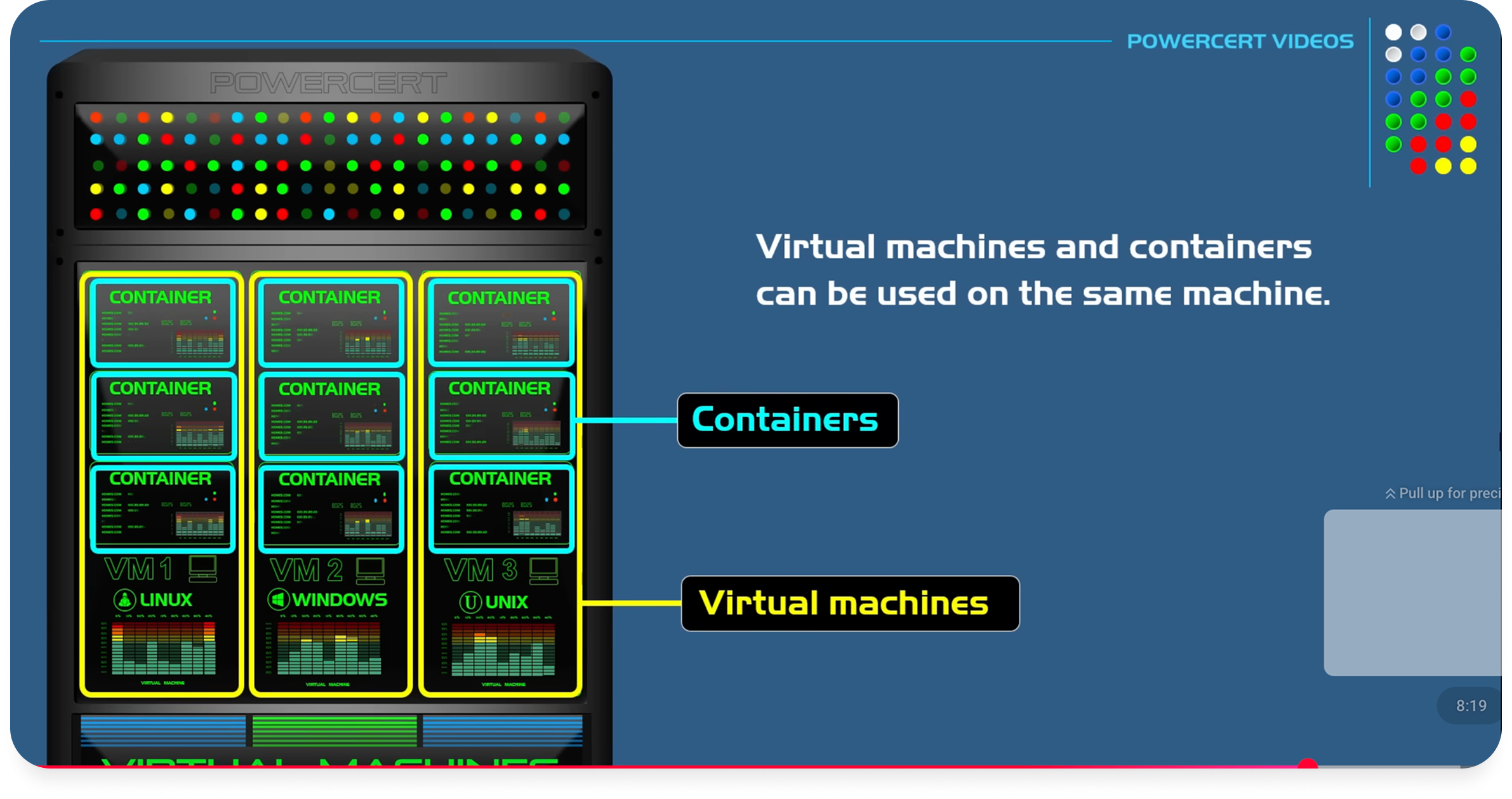
VMs and containers are the main ways to manage cloud compute
VMs babysitting isn’t really a thing for most people Most modern teams prefer containers.
But there’s still space for VMs: legacy systems, specific workloads (Windows, compliance), and established enterprises.
So it’s a thing people do, but it’s a pretty broad sphere. Now I need to narrow down the use-case and define the scope for my solution.
Few points in the conversations with the experts helped me to narrow down my focus:
While CLI is the go-to the UI dashboards are good starting points for overview and starting investigations
And the current offerings have their deficiencies
More importantly, sometimes a web-UI is a tool that helps to system engineers to delegate access to people with less technical expertise or access
Solidifying my understanding
Here’s the translation of the most crucial quote that helped me set my understanding:
“I’m in charge of our cloud hosts. I want these resources to be available to less technical members of our organization. They don’t need the control and granularity I have with my infrastructure-as-code approach. Some web UI with guardrails would be useful.”
And the second quote that helped me to crystallize what exactly our solution should do.
“I had to help one of our eng. directors with this for one of our AWS accounts”
So how might we design a tool that:
Would provide the visibility into the VM fleet, and clear affordances for managing it, so less sophisticated users have a good grasp of the compute resources delegated to them
And thus would help more expensive specialists avoid spending their time on routine administration
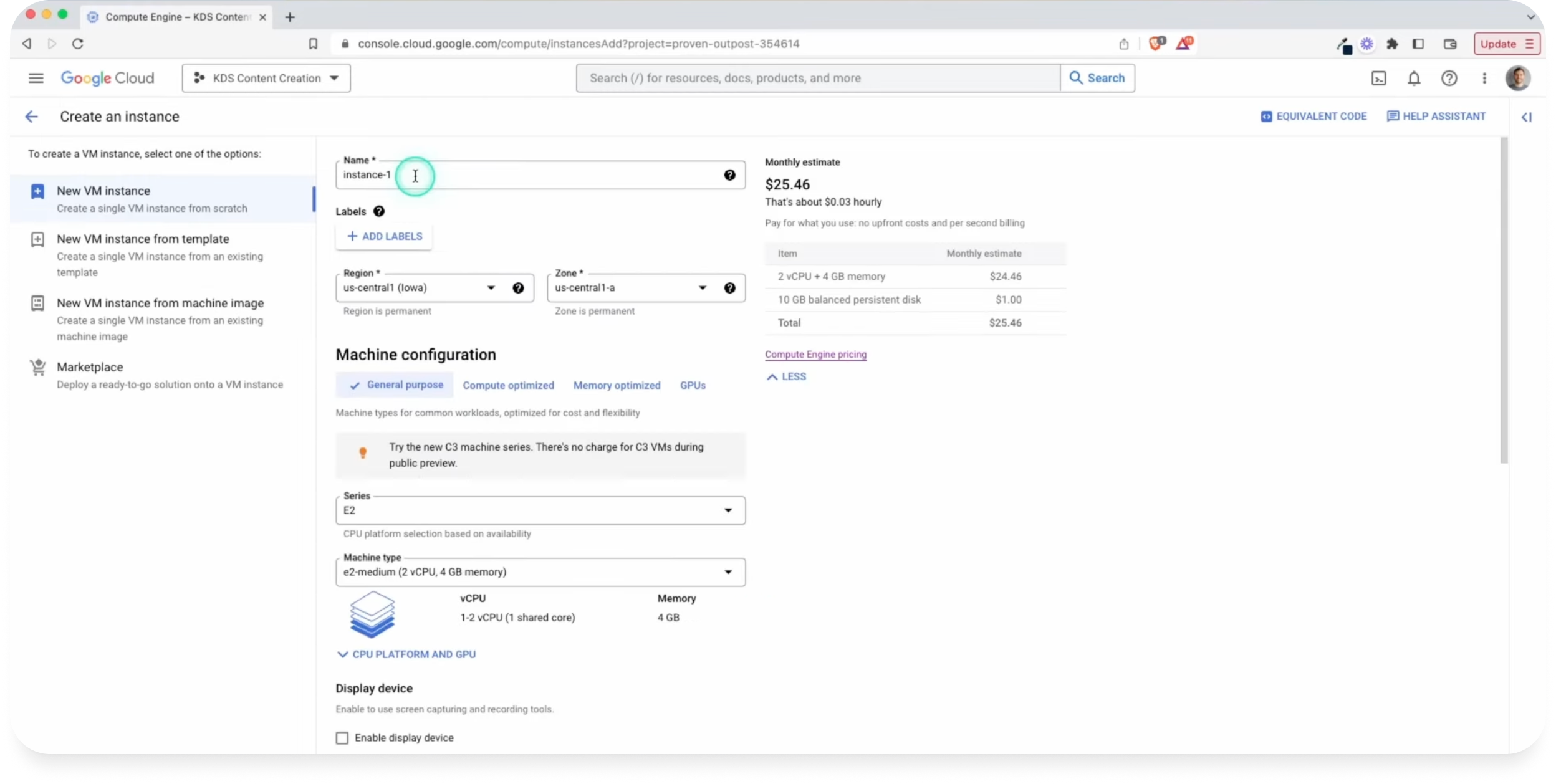
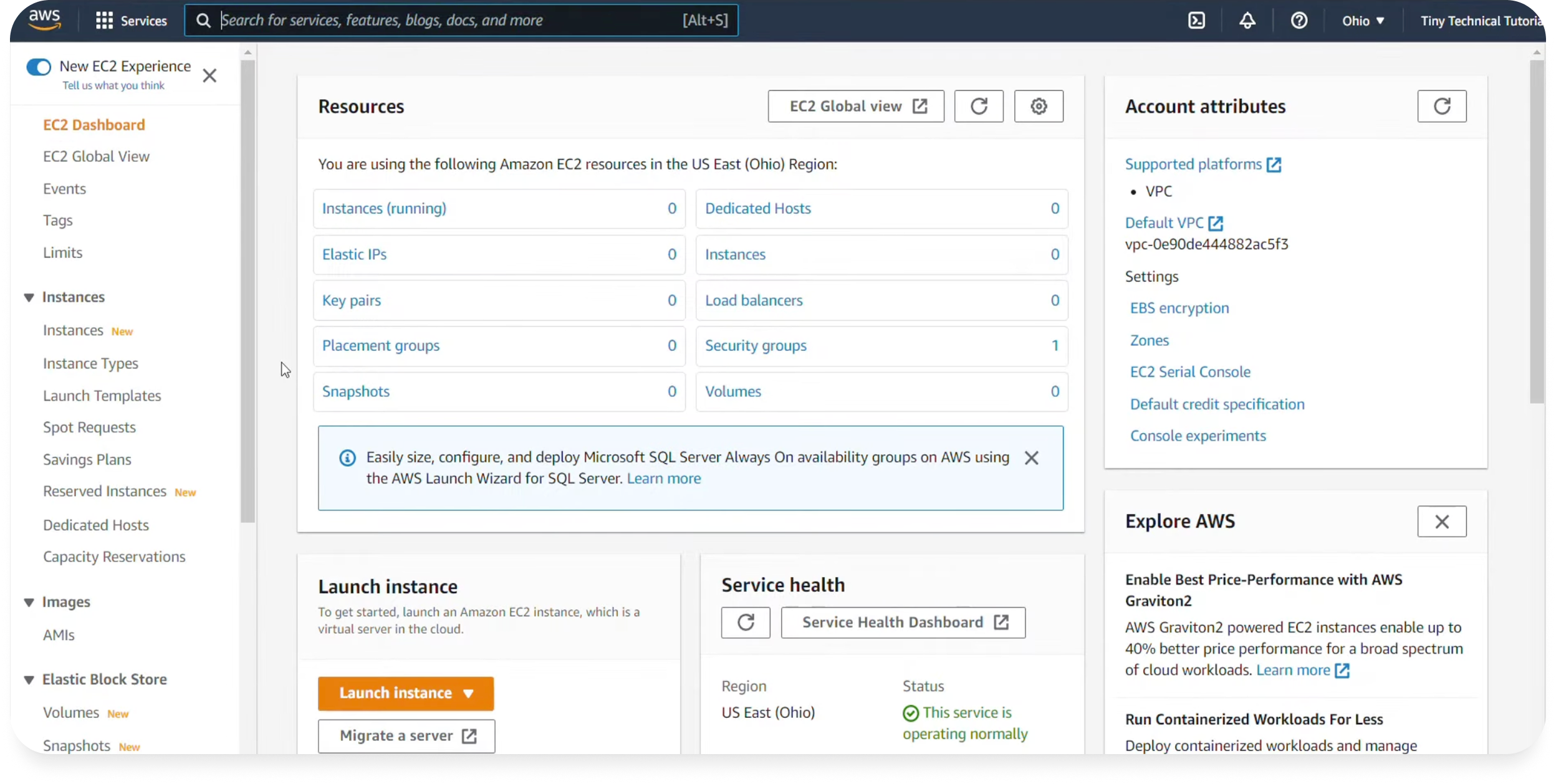
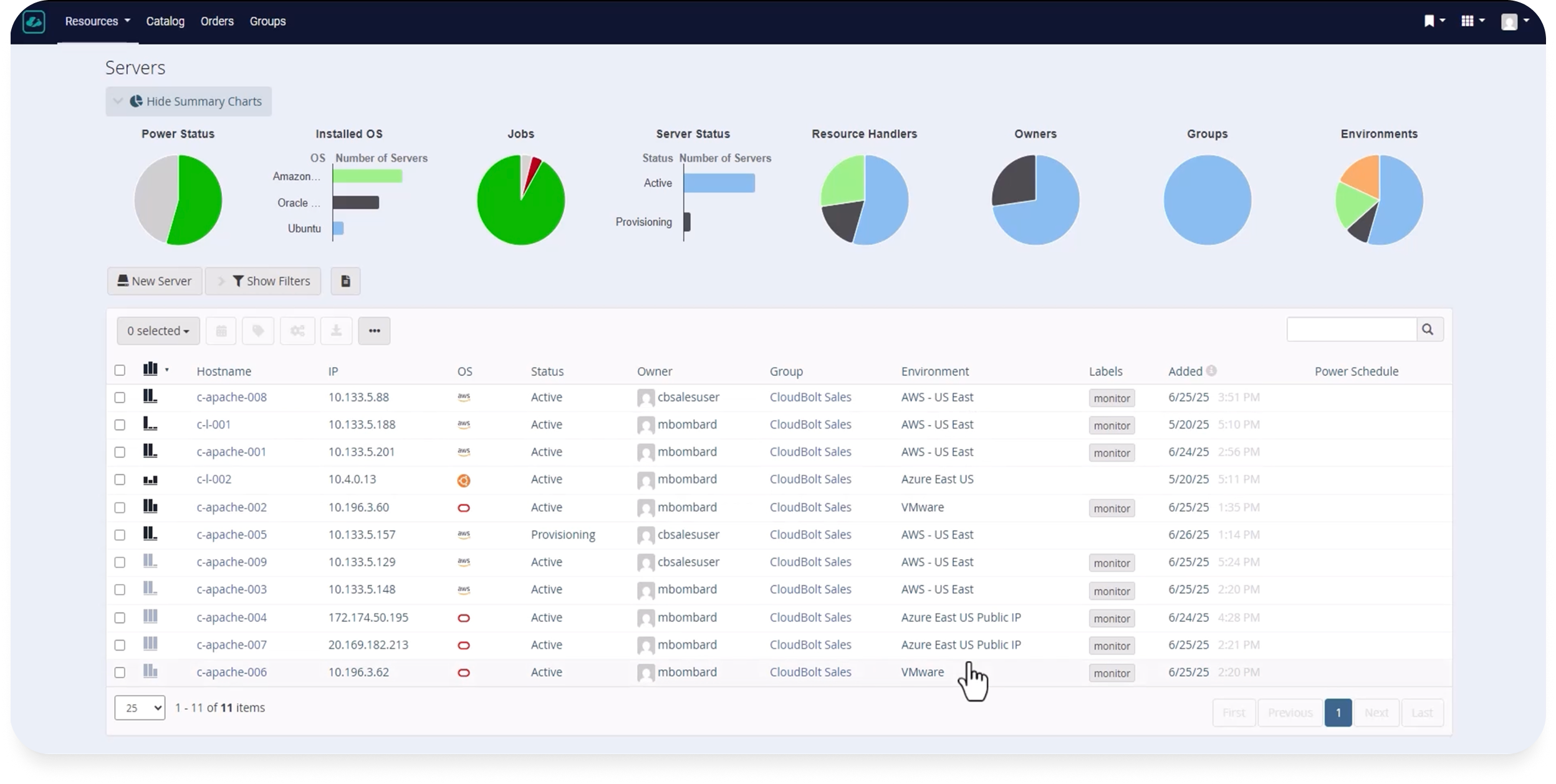
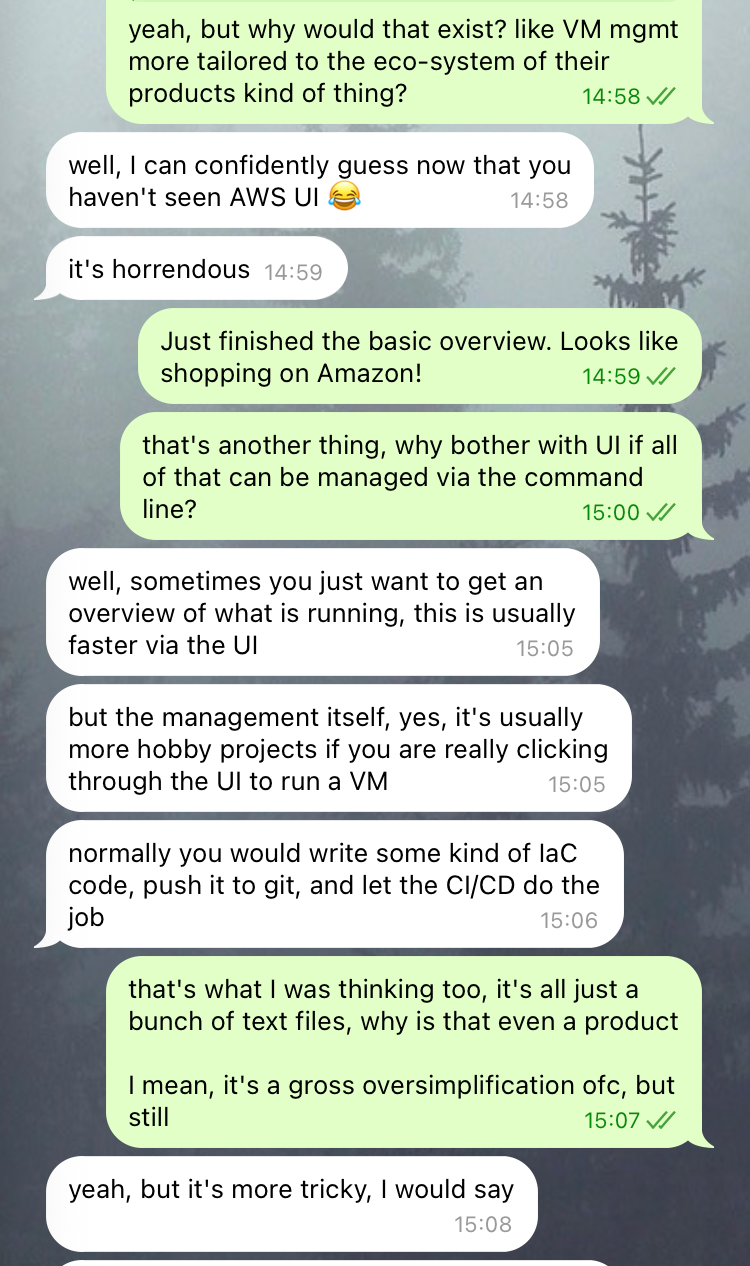
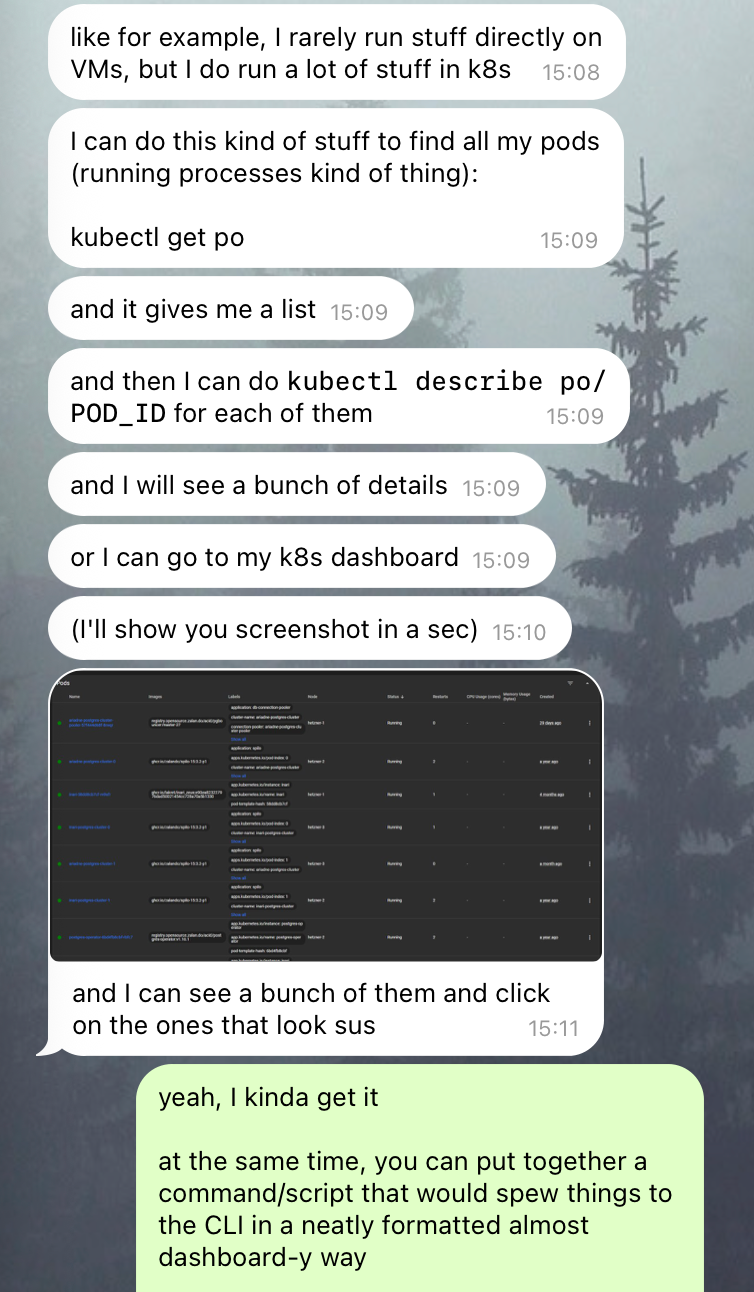
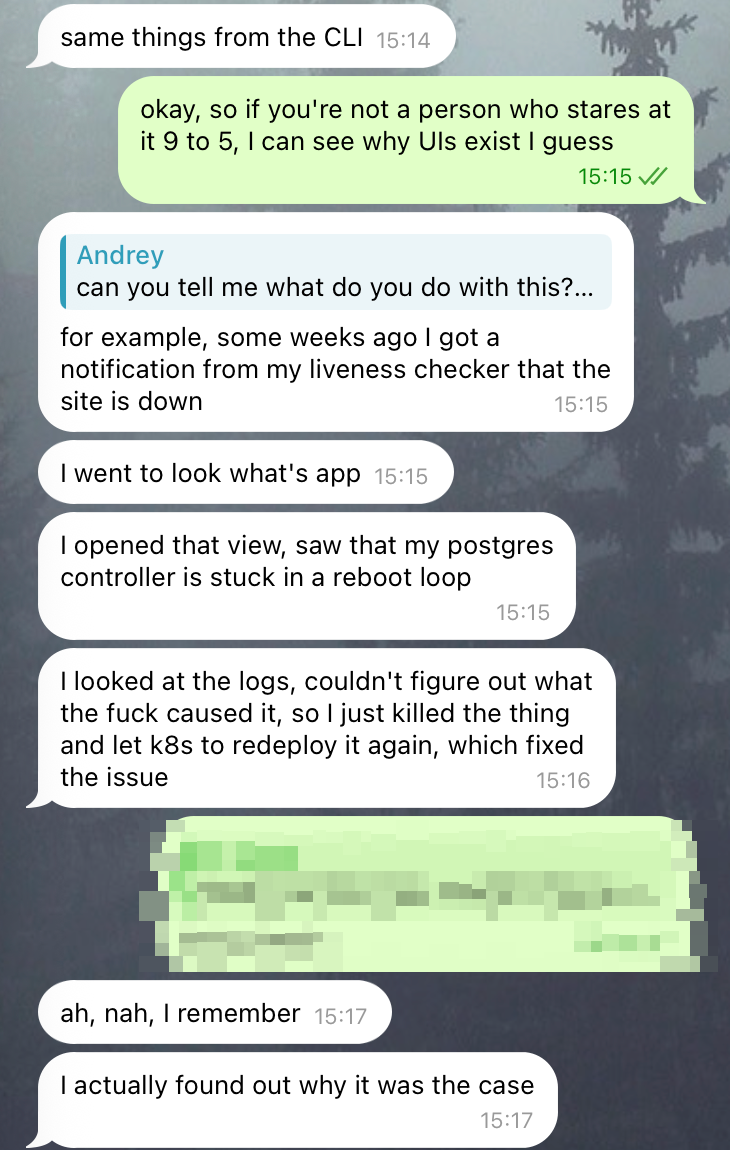
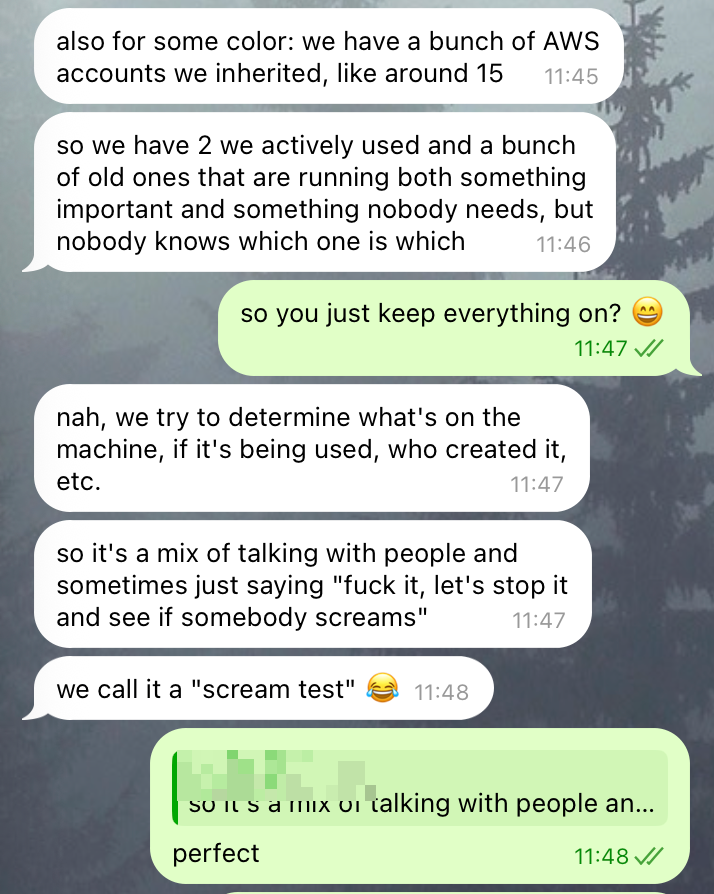
More from the conversation with Dmitry
2. pinning down the use-case
The next step is to narrow our focus on one specific use-case. After some additional research and more conversations I landed on “VM archaeology”.
A new team lead inherits a fleet of 60 VMs, and is tasked with reducing waste. They need to shut down the machines that are not necessary, but they cannot just shut down everything, at the risk of breaking things for their team or others. Since they’re new, they have little insight into what VMs are safe to stop.
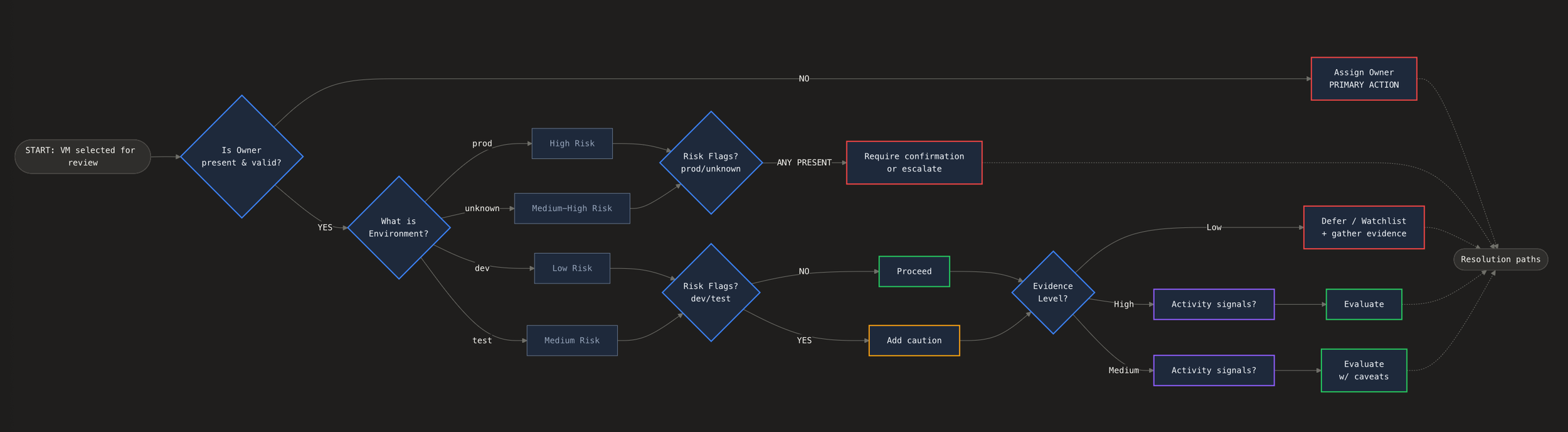
The user’s decision tree that we need to support in our solution
3. the solution
First let’s take a look at some user flows inside our tool, and then uncover its underlying logic.
Click to zoom in.
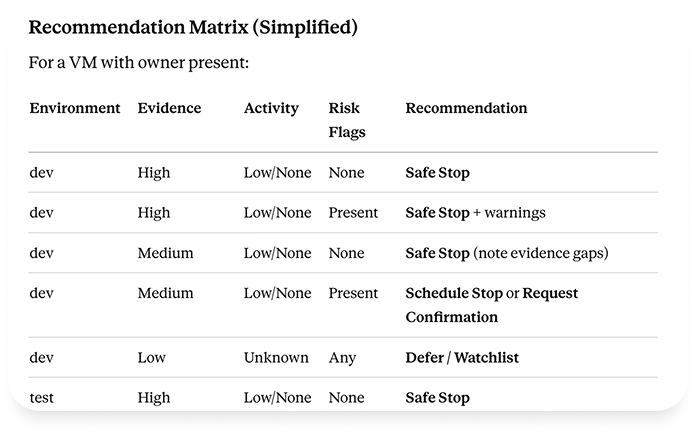
The main piece of the solution I focused on is a recommendation system that guides our user’s attention to things requiring it the most, and helps by providing informed suggestions.
Our system should highlight the VMs ripe for stopping, inform our user why that is the case, and help them find additional evidence if there’s not enough of it already.
Demos
Scenario 1 – The Confident Stop
What This Tests
Full evidence availability → high confidence
Clear recommendation with strong supporting factors
"Assign Owner" as secondary action (nice to do, not blocking)
No risk flags section (nothing to flag)
Evidence completeness shows full coverage
User Decision
User can confidently click "Safe Stop." The evidence supports it, there's nothing flagging caution, and the action is reversible. They might assign an owner as part of cleanup, but it's not required to proceed.
Edge-cases
The edge-cases concerning the recommendations system are baked in the scenarios shown above. However there were two others I wanted to highlight
Can’t stop the VM
Third person I talked to was a frontend developer with more than 10 years of experience, and his main point regarding edge cases was:
“All I remember from my interactions with the VMs is that they are slow to react and constantly fail to stop or start when I need them to”
Recommendations logic
Scenario 2 — The Uncertain One
What This Tests
Low evidence availability → low confidence
Unknown environment treated as risk, not ignored
"Assign Owner" becomes primary (can't assess without accountability)
Risk flags section appears (attached volume, unknown environment)
Evidence gaps explicitly shown as "No data available"
"What would change this" helps user understand the logic
User Decision
User shouldn't click "Safe Stop" directly from here—the system isn't recommending it. They can:
Assign Owner first, then revisit
Investigate via SSH (as shown in your prototype) to learn more
Watchlist while they gather context
Mass stop with mixed recommendations
What do we do if we want to quickly shut down a bunch of VMs?
To quickly address a security concern
Post-release clean-up
Scenario 3 — The Risky One
What This Tests
Good evidence showing ACTIVE use, not idle
Prod environment elevates all risk factors
Recommendation explicitly says "Do Not Stop"
"Safe Stop" is not offered as an action
Risk flags section uses stronger visual treatment (⛔ vs ⚠)
Dependencies and load balancer membership prominently displayed
User Decision
User's only path forward is to assign an owner. The system refuses to recommend stopping, and doesn't even offer it as a button. This VM appeared in the "Missing Owner" list not because it's a stop candidate, but because it's a governance gap—a prod workload running without accountability.
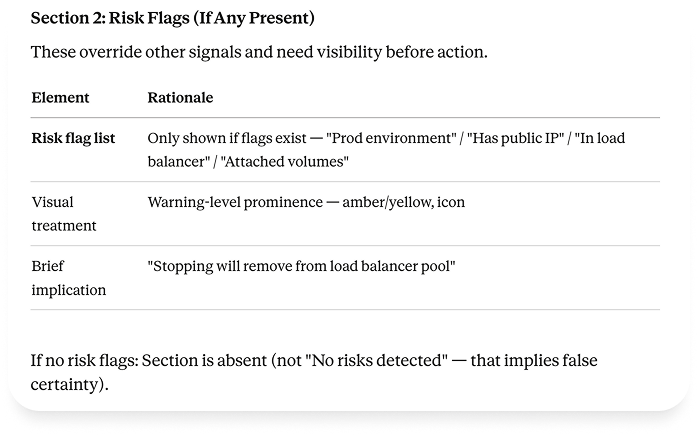
The signals and recommendations
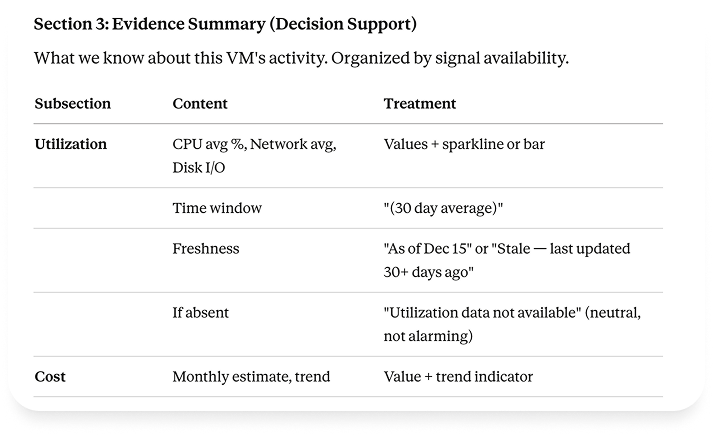
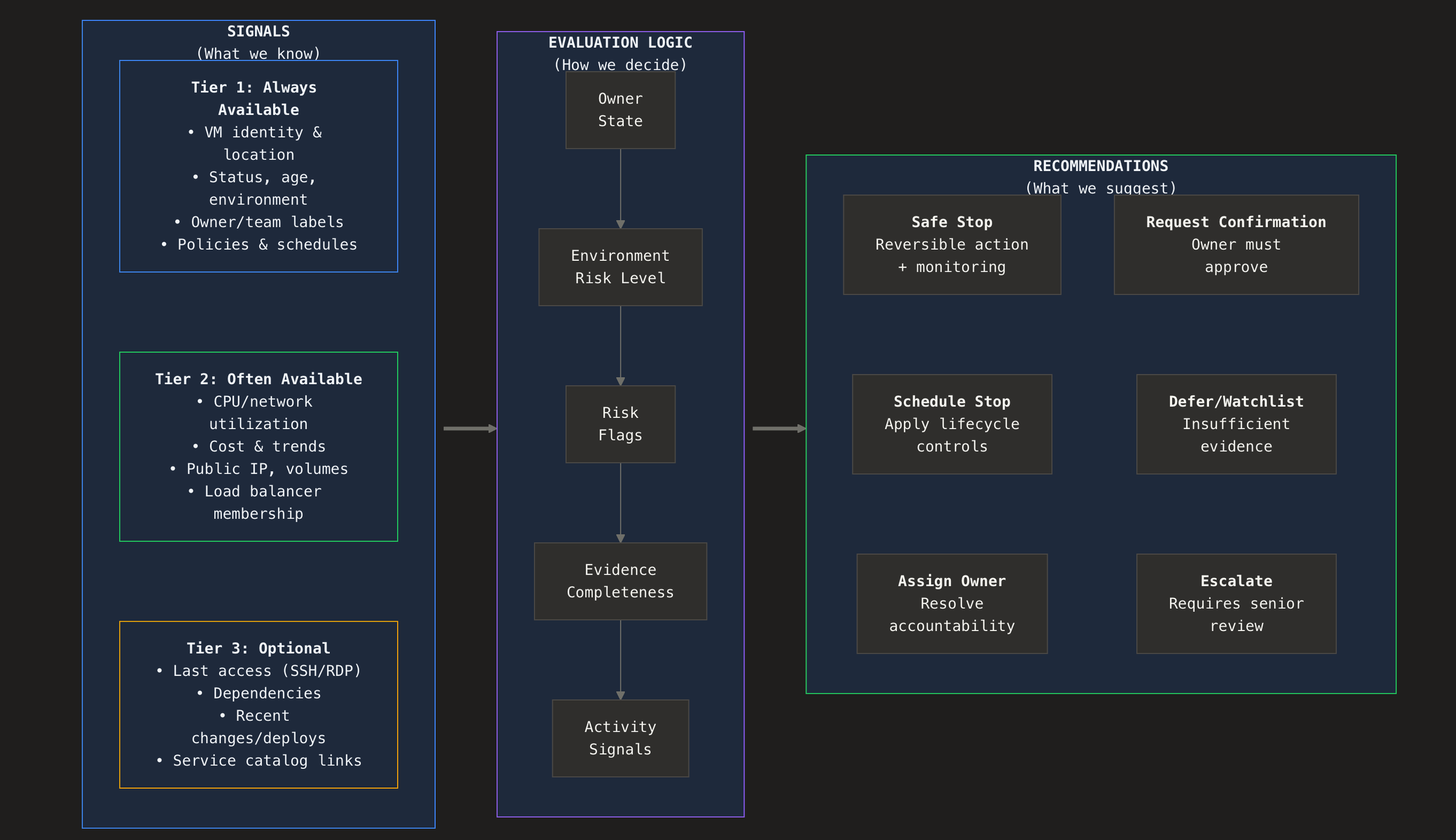
4. Summary
The value of our platform is to help users to manage their cloud resources. The crucial part of it is to eliminate waste without breaking things. Based on the signals integrated in our platform and the investigation tools it provides we can guide our users to quicker and better decisions.
There’s a lot more ground to cover, and I’m open to this discussion. A few things I’d do next:
Check again with the experts what they think about the final state of this solution (though they interacted with some intermediate versions of it)
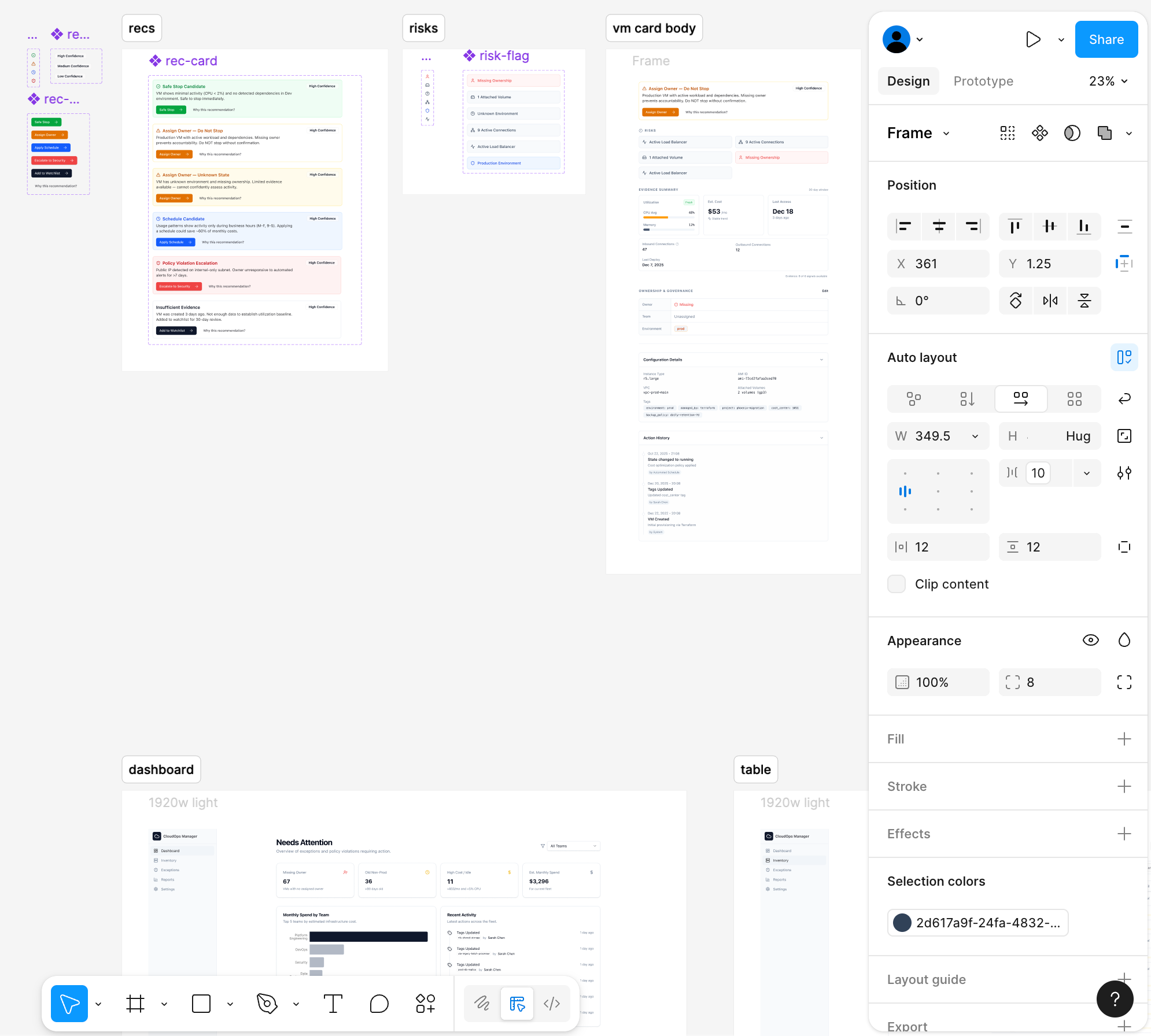
Finish restyling that I started. You’ll find an example of it below.
Cover additional use-cases:
Dashboard configuration
Table interactions
Signals integrations
Add an AI layer. I did not start with it, because first I needed to understand what’s going on myself. “AI will do it” barely an impressive solution for a design challenge
Thank you!
Below you’ll find some exploration, and a few notes on AI-first prototyping.
5. bonus: UI exploration
Trying different toolbar and card layout
Developing alternative visual style
Figuring out the VM card header
6. bonus: AI-first process and the prototype
It’s a brief note to mention that for this project I heavily leveraged AI tools:
Claude
ChatGPT
Replit
The prototype
Replit was my main tool for building the prototype that I used for recording the scenarios, and building a lot of the assets, layouts in controls. Figma was used mainly as another prompting tool where it was quicker to show a picture than to precisely describe it. And I’ll gladly present it during our next conversation.
The prototype was also crucial for my first conversations with experts, to ask them if I’m on the right track and to signal to them that I would understand what they have to say to me.
Context building and research
The other tools were crucial for building and structuring the context for Replit’s agent. Mock data, scenario, flowcharts and the entities involved, all of that needs to be put in order before the agent can be of help.
They are also helpful for building the first approximate understanding of the domain.
Actual understanding and expertise
However impressive these tools are, they are still cursed by the fundamentals of the underlying technology, and they cannot operate fully without human oversight.
I would not be able to produce anything without relying on the expertise of people I interviewed.
And without my oversight the agent would not be able to actually solve my task.
If it’s a temporary state of affairs we’ll have to see.